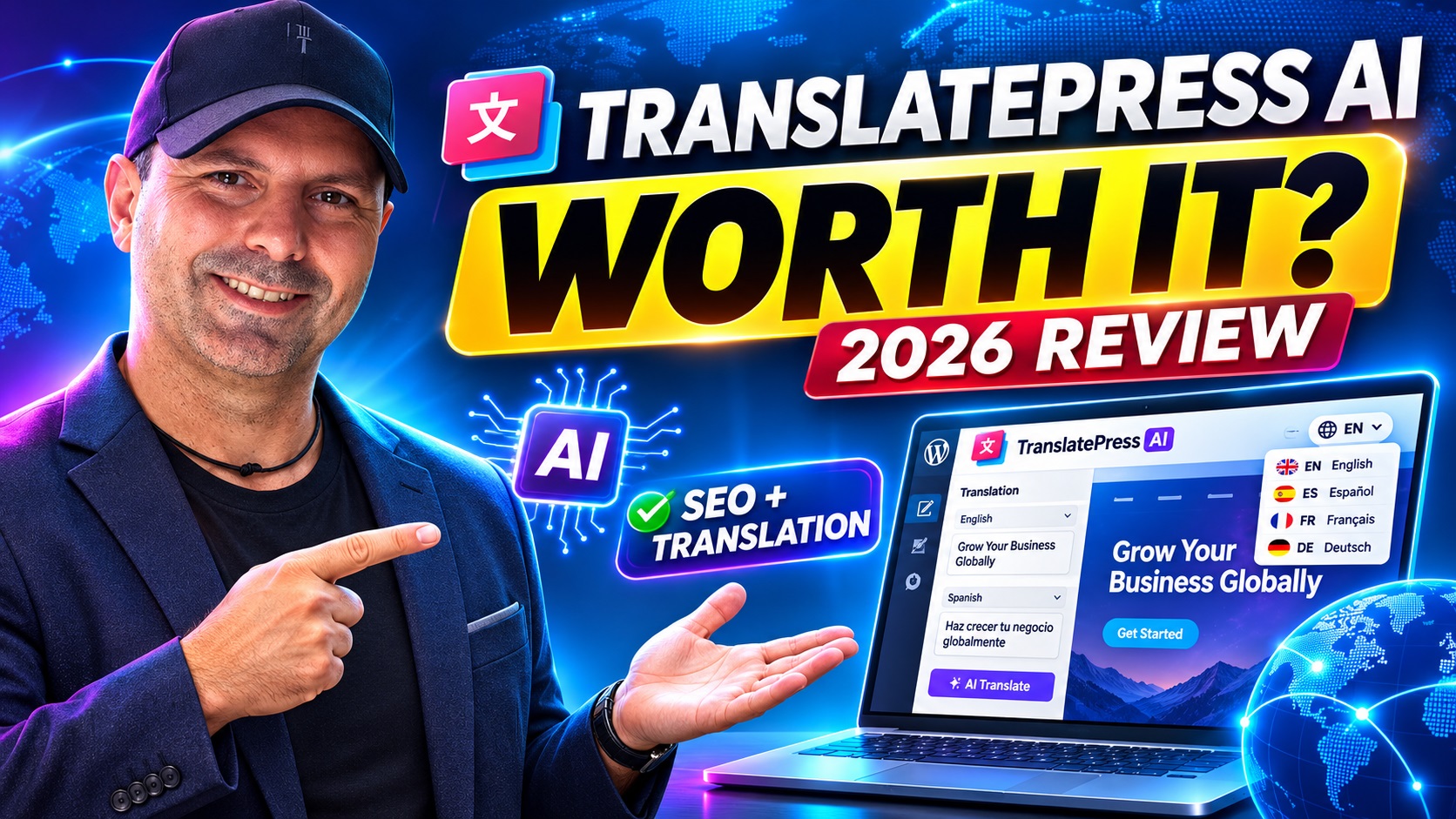
Your next customer might be searching for your products right now—but in a language your website doesn’t support.
Imagine investing years into building a beautiful WordPress website, publishing valuable articles, optimizing your SEO, and creating excellent products, only to discover that you’re missing potential customers simply because they don’t speak your language.
That’s where TranslatePress AI comes in.
TranslatePress is a powerful WordPress translation plugin designed to help website owners create multilingual websites without complicated development work. Its integrated AI translation engine can automatically translate content, while its visual editor allows you to review and improve translations directly on your website.
But there’s something even more interesting.
When combined with a well-planned international SEO strategy, TranslatePress can help turn your existing content into a starting point for reaching new audiences, attracting international visitors, and expanding your business beyond your original market.
In this comprehensive 2026 guide, we’ll examine how TranslatePress AI works, what makes it different, how to configure multilingual SEO, and how to use it strategically to support international growth.
What Is TranslatePress AI?
TranslatePress is a WordPress multilingual plugin that allows you to translate website content directly from the front end.
Rather than requiring you to maintain completely separate websites for every language, TranslatePress works with your existing WordPress installation and provides a visual translation interface.
Its premium AI translation solution automates much of the process.
TranslatePress AI combines large language models, including technologies such as GPT and Gemini, with neural machine translation engines such as DeepL and Google Translate.
The service is integrated into TranslatePress, eliminating the need to obtain and configure external API keys when using its built-in AI engine.
This is particularly useful for bloggers, entrepreneurs, agencies, and business owners who want multilingual functionality without managing multiple translation services.
Key TranslatePress Capabilities
- AI-powered translation: Automatically generate translations for your WordPress content.
- Visual translation editor: Modify translated text while viewing the actual website.
- Multilingual SEO: Translate SEO titles, meta descriptions, URLs, and other important elements using the premium SEO Pack.
- WooCommerce support: Translate online store content for international customers.
- Translation glossary: Maintain consistent brand names, product terminology, and important expressions.
- Language switcher: Allow visitors to browse your website in their preferred language.
- Translation storage: Reuse previously generated translations stored in your WordPress database.
Together, these features provide a flexible foundation for creating a multilingual online presence.
Why Multilingual Websites Matter More Than Ever
English is widely used online, but millions of potential customers prefer searching, researching, and purchasing in their native languages.
Consider a website offering web hosting services.
An English-language page might target the keyword “affordable WordPress hosting.”
However, potential customers in Greece might search for “οικονομική φιλοξενία ιστοσελίδων,” while German customers could use entirely different search expressions.
If your content is only available in English, you may miss opportunities to appear for relevant searches in other languages.
A multilingual website creates additional entry points into your business.
Three Important Business Benefits
1. Access to new search audiences
Translated pages can become eligible for relevant searches in additional languages when they are properly optimized, accessible, and indexed.
2. A more comfortable customer experience
Visitors can explore your website, understand your services, and evaluate your products in familiar language.
3. More opportunities for international conversions
Localized content can help answer customer questions, communicate benefits, and reduce uncertainty before a purchase.
However, multilingual success requires more than translating content automatically.
Search behavior, cultural expectations, terminology, and buyer preferences vary between markets.
The best results come from combining translation technology with thoughtful localization.
How TranslatePress AI Actually Works
One of the most useful characteristics of TranslatePress AI is that its workflow is relatively straightforward.
After installing TranslatePress, activating a premium license, and selecting your target languages, you can enable TranslatePress AI under the automatic translation settings.
The plugin translates content into the selected languages and stores generated translations in the WordPress database.
According to TranslatePress documentation, unchanged original content does not need to be translated repeatedly.
This helps reduce unnecessary translation usage.
For example, suppose your website has 15,000 unique source-language words.
If you translate that content into two additional languages, the estimated translation requirement would be approximately 30,000 AI words.
Actual usage depends on the content encountered, language configuration, updates, and TranslatePress’s word-counting rules.
What Happens When You Publish New Content?
Imagine publishing a new WordPress article about the best SEO strategies for small businesses.
Your original article is written in English.
When the translated content is requested, TranslatePress AI can generate translations in your configured languages and save them for subsequent visits.
This makes ongoing multilingual content management considerably easier than repeatedly translating every new article manually.
However, significant changes to the original content can require updated translations.
For this reason, website owners should monitor their AI word allowance and review important pages after major content changes.
The Visual Translation Editor: A Major Advantage
Automatic translation is convenient, but even good AI translations sometimes require improvement.
Marketing language is a perfect example.
Consider the English headline:
“Unlock Your Business Potential Today!”
A literal translation might be grammatically acceptable but sound unnatural to native speakers.
Different markets may respond better to shorter wording, a more formal tone, or a completely different expression.
TranslatePress addresses this through its visual translation editor.
You can open a page, select an element, and modify the translated text while seeing how it appears on the actual website.
This allows you to improve:
- Headlines and promotional messages.
- Product descriptions.
- Calls to action and buttons.
- Navigation menus.
- Forms and contact information.
- Important customer-facing explanations.
You can also inspect translated layouts for problems caused by longer words or sentences.
For example, a compact English button may become significantly wider when translated into German.
The visual editor makes these presentation issues easier to identify.
Expert tip: Review your homepage, most important landing pages, checkout-related messages, and strongest calls to action before spending time polishing less important content.
TranslatePress Multilingual SEO: How to Reach International Customers
Translating content is only part of international search engine optimization.
Search engines also need to discover the translated versions of your pages and understand their relationship to the original content.
This is where the TranslatePress SEO Pack becomes particularly useful.
The premium add-on supports translation of important SEO elements, including page titles, meta descriptions, URL slugs, and image alternative text.
It also supports multilingual XML sitemap functionality for popular WordPress SEO plugins.
1. Translate SEO Titles Strategically
Imagine your original article has this title:
Best WordPress Hosting for Small Businesses
Instead of translating it mechanically, research what your target audience actually searches for.
A Greek audience might use phrases involving “φιλοξενία WordPress” or “hosting για μικρές επιχειρήσεις.”
Your translated title should reflect relevant search intent in that market.
This approach helps ensure that the new language version is useful to searchers rather than simply resembling the English original.
2. Optimize Meta Descriptions
Meta descriptions should communicate the page’s main benefit in natural language.
They are not a direct guarantee of rankings, but effective descriptions can make search results clearer and more compelling.
A translated meta description should be accurate, persuasive, and relevant to local search intent.
3. Translate URL Slugs
TranslatePress SEO Pack supports translated URL slugs.
For example, an English page could have a structure like:
example.com/en/wordpress-hosting/
Its Greek-language equivalent could use a localized slug:
example.com/el/filoxenia-wordpress/
These examples are illustrative; your actual structure depends on your settings.
Localized URLs can improve readability and reinforce the topic of a page for its intended audience.
4. Use Hreflang Correctly
Hreflang annotations help Google understand when multiple URLs represent language or regional variations of the same content.
For example, English and Greek versions of a service page can reference each other as language alternatives.
This helps search engines identify the appropriate version for users.
Google recommends maintaining consistent, reciprocal language-alternate annotations.
TranslatePress provides multilingual functionality that supports this process, but you should still verify your site’s generated markup after deployment.
5. Create Multilingual XML Sitemaps
A multilingual sitemap helps search engines discover translated URLs.
TranslatePress SEO Pack integrates with popular SEO solutions, including Rank Math, Yoast SEO, SEOPress, and All in One SEO.
After implementing translated content, verify that your sitemap includes the intended language versions and that important URLs are indexable.
Important: TranslatePress makes implementing multilingual SEO easier, but it does not guarantee rankings. Search visibility still depends on quality, competition, technical SEO, and the usefulness of your content.
TranslatePress AI for WooCommerce Stores
Online stores are among the most promising applications for multilingual translation.
Imagine operating a WooCommerce store selling digital products, software, or physical goods.
Your product descriptions may be excellent, but customers from other countries might leave simply because they cannot comfortably understand what they’re buying.
TranslatePress can help translate customer-facing WooCommerce content, including product information and relevant store interface elements.
This creates opportunities to provide a more accessible shopping experience.
What Should You Translate First?
Start with your highest-value commercial content.
Focus on your best-selling product pages, product categories, shipping policies, frequently asked questions, and purchasing instructions.
Pay particular attention to returns, guarantees, and delivery information.
Customers should understand these details clearly before placing an order.
TranslatePress also provides tools for working with WooCommerce email translations, which can help maintain language consistency in customer communications.
However, remember that translation is not the same as complete international eCommerce readiness.
Your store may also need appropriate payment methods, currency options, tax handling, shipping arrangements, and regional legal information.
Translation improves communication; it doesn’t replace those operational requirements.
The Translation Glossary: Maintain Your Brand Identity
A useful feature for businesses is the TranslatePress AI translation glossary.
The glossary allows website owners to define preferred translations for specific words and phrases.
For example, a software company might want to preserve an English product name instead of translating it.
A technical services provider may prefer a particular translation for terms such as “server management,” “cloud hosting,” or “website maintenance.”
Without consistency, different translations can create confusion.
The glossary allows you to establish preferred terminology for future automatic translations.
There is an important distinction, however.
Glossary changes affect newly generated translations; they do not automatically rewrite translations already saved in your database.
TranslatePress offers a separate Search & Replace Translations tool for correcting existing translated strings.
Because this tool can make broad database changes, create a database backup and carefully review replacements before applying them.
For websites with substantial technical, commercial, or product terminology, a glossary can be especially valuable.
How to Set Up TranslatePress AI in WordPress
Getting started doesn’t require advanced programming knowledge.
Step 1: Install TranslatePress
From your WordPress dashboard, install TranslatePress or upload the plugin package provided through your TranslatePress account.
Activate the plugin.
Step 2: Configure Your Languages
Navigate to:
Settings → TranslatePress
Select your default website language and the additional languages you want to support.
Choose your markets carefully rather than enabling every possible language.
Step 3: Activate Your License
If you’re using TranslatePress AI, activate an eligible premium license under the plugin’s license settings.
Check the included translation-word allowance.
Step 4: Enable TranslatePress AI
Open:
Settings → TranslatePress → Automatic Translation
Select TranslatePress AI as your translation engine.
The integrated AI service does not require a separate external translation API key.
Step 5: Review the Language Switcher
Configure how visitors can change languages.
TranslatePress offers language-switching options, and its documentation includes integration methods for popular page-building workflows.
Make sure the switcher is accessible on both desktop and mobile devices.
Step 6: Activate the SEO Pack
If you have a premium plan, activate the SEO Pack add-on.
Configure and review important translated metadata and URL slugs.
Step 7: Inspect Translated Pages
Use the visual translation editor to review important content.
Check headlines, buttons, product information, forms, mobile layout, and terminology.
Step 8: Test Before Launching International Campaigns
Finally, test each language version.
Confirm that translated pages load correctly, important buttons work, URLs are accessible, and visitors can move between languages.
For WooCommerce websites, test the purchase journey and transactional communications.
A Smarter 30-Day Multilingual SEO Strategy
Installing TranslatePress is the technical foundation.
The real business opportunity comes from how you use it.
Here’s a practical four-week plan.
Week 1: Research Your International Opportunities
Study Google Search Console and your existing analytics.
Identify countries already sending visitors to your website.
Research commercial keywords in your target languages.
Choose one or two languages with meaningful potential.
Avoid translating into markets where you cannot realistically provide products, services, or customer support.
Week 2: Translate Your Most Valuable Pages
Select your homepage, main service pages, strongest products, and highest-performing blog articles.
Use TranslatePress AI to create initial translations.
Refine important headlines and sales messages through the visual editor.
Week 3: Optimize International SEO
Translate SEO titles, meta descriptions, and URL slugs.
Review language-alternate annotations and translated sitemaps.
Check indexing eligibility and internal links.
Ensure that the content answers the actual questions customers in each target market ask.
Week 4: Measure and Improve
Monitor international traffic in your analytics platform.
Use Google Search Console to assess impressions, clicks, and search queries.
Track conversions by landing page and language.
Identify which translated pages attract relevant visitors and which require improvement.
The goal is not simply to generate more translated pages. It is to attract more valuable visitors and make their experience better.
Seven Common Multilingual Website Mistakes
Even with an excellent translation plugin, mistakes can reduce the effectiveness of your strategy.
Mistake 1: Translating into too many languages immediately.
Start small and expand based on results.
Mistake 2: Ignoring local keyword research.
Search phrases don’t always translate directly between languages.
Mistake 3: Trusting automatic translation without reviewing critical information.
AI translations can contain mistakes, especially in specialized subjects.
Mistake 4: Forgetting SEO metadata.
Translated page content should be accompanied by relevant titles, descriptions, and other SEO elements.
Mistake 5: Neglecting mobile layouts.
Translated text can take up more space than the original, affecting buttons, menus, and page designs.
Mistake 6: Ignoring website performance.
Test caching, page-loading behavior, and the impact of translation-related database activity.
Mistake 7: Assuming more indexed pages automatically mean more traffic.
Google evaluates content usefulness and quality. Publishing large quantities of low-value AI-translated pages does not guarantee search visibility.
Is TranslatePress AI Better Than Manual Translation?
The most useful approach is often not choosing exclusively between AI and humans.
Instead, combine the strengths of both.
AI translation can handle initial translation work quickly, while human review improves wording, cultural relevance, accuracy, and persuasive impact.
For a small business, reviewing every sentence on every page might not be realistic.
A more practical approach is to categorize content by business importance.
| Content Type | Recommended Approach |
|---|---|
| General blog articles | AI translation with selective review |
| Main landing pages | AI translation plus thorough editing |
| Product descriptions | AI translation with accuracy checks |
| Sales copy and CTAs | Careful human localization |
| Legal and compliance content | Qualified professional review |
| Technical instructions | Subject-matter expert verification |
This approach helps balance efficiency and quality.
Is TranslatePress AI Worth It in 2026?
TranslatePress AI is particularly appealing for WordPress website owners who want multilingual functionality without operating separate translation systems.
Its major strengths include its integrated AI translation workflow, user-friendly visual editor, SEO-related premium features, WooCommerce support, and ability to reuse saved translations.
It is especially relevant for:
- WordPress bloggers expanding into international topics.
- Affiliate marketers reaching audiences in different countries.
- WooCommerce stores exploring additional markets.
- Freelancers building multilingual websites for clients.
- Agencies managing WordPress localization projects.
- Service providers targeting international customers.
There are still costs and responsibilities to consider.
AI translation usage is limited by your available word allowance, and translations should be reviewed for quality.
Premium SEO capabilities require an appropriate license, and language expansion may increase ongoing content maintenance.
You should also test your theme, plugins, and caching configuration before implementing major changes on a production website.
Ultimately, TranslatePress is best viewed as a multilingual website management tool—not a guaranteed traffic or revenue generator.
TranslatePress Black Friday 2026: A Limited-Time Opportunity
If you’re considering investing in TranslatePress, there is an upcoming promotional opportunity.
TranslatePress has announced a 30% Black Friday discount on all plans, valid from November 23 through December 1, 2026.
Use coupon code BF2026 during the sale.
The promotion provides an opportunity for website owners, agencies, and international businesses to evaluate premium TranslatePress functionality at a reduced initial purchase price.
Check the final checkout details, license terms, included AI words, and renewal pricing before purchasing.
👉 Explore TranslatePress AI and the Black Friday Offer
Frequently Asked Questions About TranslatePress AI
Can TranslatePress AI automatically translate an entire WordPress website?
Yes. TranslatePress AI can automatically generate translations for website content into configured languages. Important translations should still be reviewed for accuracy and quality.
Does TranslatePress work with WooCommerce?
Yes. TranslatePress supports WooCommerce and provides functionality for translating store content and relevant customer-facing elements.
Is TranslatePress AI good for SEO?
TranslatePress offers premium multilingual SEO features, including translated metadata, URLs, and multilingual sitemap support. Good results also require appropriate keyword research, content quality, and technical SEO.
Do I need a Google Translate or DeepL API key?
No external API key is required for the integrated TranslatePress AI engine. Separate Google Translate or DeepL integrations have their own API requirements.
Are translations stored permanently?
TranslatePress stores generated translations in your WordPress database. However, access to premium services and future AI translation usage depends on your license conditions.
Can I manually correct AI-generated translations?
Yes. The visual translation editor allows users to review and modify translated content.
Can TranslatePress help attract international visitors?
It can help create accessible, localized pages that may become eligible for relevant international searches. Traffic growth is not guaranteed and depends on multiple SEO and market factors.
Final Verdict: TranslatePress AI Makes International WordPress Growth More Accessible
Expanding into international markets used to require a significant investment in translation work, technical resources, and ongoing website maintenance.
TranslatePress AI simplifies an important part of that process.
Its automatic translation capabilities help reduce repetitive work, while its visual editor gives website owners more control over language quality and presentation.
The premium SEO features also make it a useful option for businesses that want translated content to be discoverable through search engines.
But the most important lesson is that successful multilingual marketing requires strategy.
Choose valuable markets, translate your most important content, optimize for local search intent, and monitor the results.
With the right approach, a multilingual website can become a meaningful part of your long-term business growth strategy.
Ready to introduce your WordPress website to a wider international audience?
🚀 Discover TranslatePress AI — Explore Features, Plans & Available Discounts